
I’m starting a series of posts about my favourite Python libraries. The ones I keep coming back to, the ones I think are worth knowing.
The first one is Prompt Toolkit.
If you write your tools for the terminal, you’re going to like this one.
https://python-prompt-toolkit.readthedocs.io/en/master/index.html
The library, in a few words
With Prompt Toolkit you can build a rich console UI. Some of what it brings:
- Autocompletion and autosuggestion built in.
- Syntax highlighting built in.
- Session history built in.
- Key bindings.
- An ncurses abstraction in Python.
- Real-time progress bars over ncurses.
- Full-screen console apps.
- Hooks.
- Asyncio support.
- Deadline support.
- And more.
Some examples
A REPL on steroids
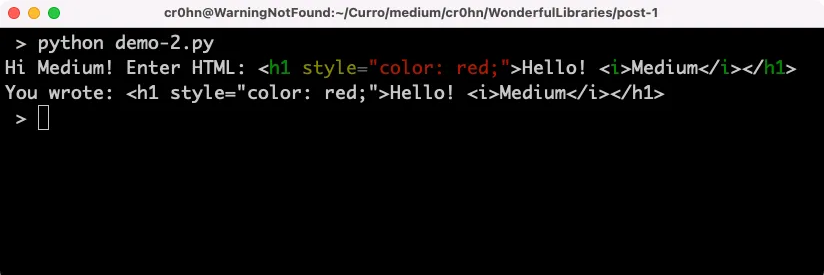
Building a decent REPL takes almost nothing. And you can get syntax highlighting in the prompt, while you type. I love it.
from pygments.lexers.html import HtmlLexer
from prompt_toolkit.shortcuts import prompt
from prompt_toolkit.lexers import PygmentsLexer

text = prompt('Hi Medium! Enter HTML: ', lexer=PygmentsLexer(HtmlLexer))
print('You wrote: %s' % text)
Ncurses dialogs and more
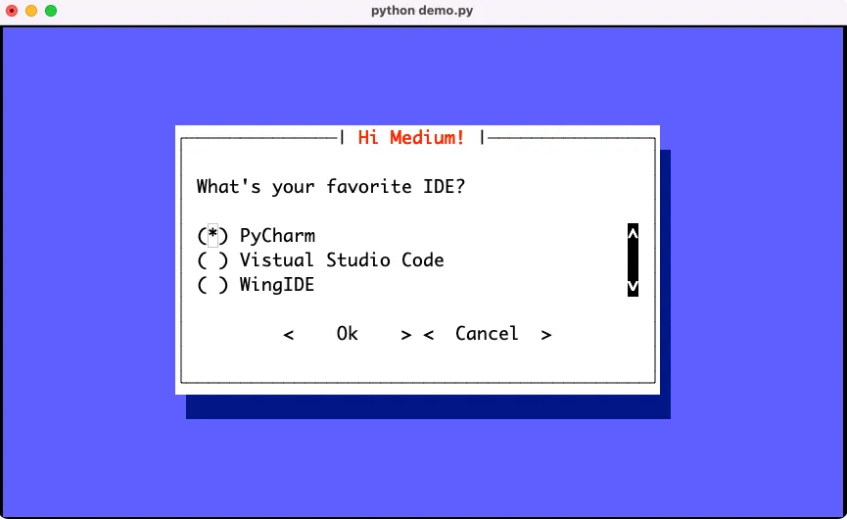
With Prompt Toolkit you get good command line interfaces without touching ncurses code. It has shortcuts for dialogs, checkboxes, radio boxes and a few more.
A simple example:
from prompt_toolkit.shortcuts import radiolist_dialog

result = radiolist_dialog(
    title="Hi Medium!",
    text="What's your favorite IDE?",
    values=[
        ("pycharm", "PyCharm"),
        ("vscode", "Vistual Studio Code"),
        ("wingide", "WingIDE")
    ]
).run()
A VIM clone
Go and have a look at the Gallery section on their website:
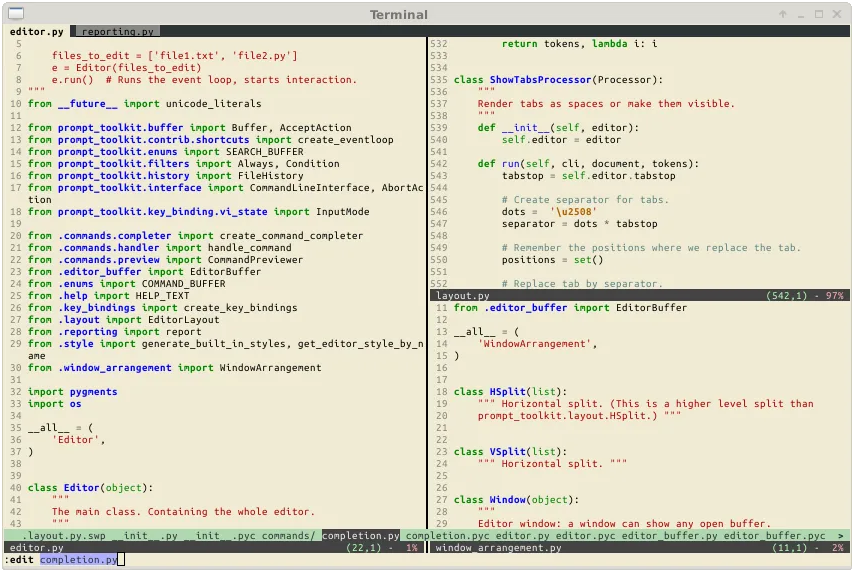
There are some great demos in there. Even a VIM clone.
That’s it for the first one. If you build anything with it, the docs linked above are where I’d start.