
Today I want to talk about an old attack that is new again and can hit your production systems: the zip bomb.
Nothing here is recent. According to Wikipedia, the term zip bomb was first used in 2001.
TL;DR
The idea is simple. An attacker builds a zip file with a twist: it cannot really be decompressed. A tiny zip that takes up almost nothing on disk can grow to petabytes when the victim tries to unpack it.
You can guess how well it goes when a file needs petabytes of your disk :)
Where zip bombs stand today
Most zip tools can already spot a file that looks like a zip bomb. They warn the user and refuse to unpack it:

Fine, that is good news. So what is the problem?
In 2019, security researcher David Fifield built a new kind of zip bomb. It works today and it is very hard for the programs that handle zip files to detect.
Zip bombs and DevSecOps
At this point you may be wondering what a zip bomb has to do with DevSecOps. On paper it sounds like a hardening problem on the production side, right? Sorry, but no.
One of the goals of DevSecOps is automation: cutting the time between development and production. That means building an artifact from source code and pushing it to production is usually (should be!) automatic.
Building an artifact is not magic. Developers write the exact instructions that build it, and the CI system runs them.
What happens if a developer adds a step that produces a zip bomb and the CI system pushes it to production?
Zip files and production systems
Fine. We got a zip file into production. So what?
Plenty of applications use the zip format to package files and content. A Microsoft Word .docx, for example, is a zip file with a different extension.
Many web application servers do the same. Apache Tomcat uses the .war extension for a Java website packed as a zip.
Following that example, the first thing Tomcat does to run a .war file is decompress it. And right there Tomcat can be vulnerable to a zip bomb.
Demo: Apache Tomcat against a zip bomb
For the demo we created a zip bomb and renamed it to .war. Tomcat deploys that format automatically when the file lands in a specific preconfigured directory.
Setting up the scenario
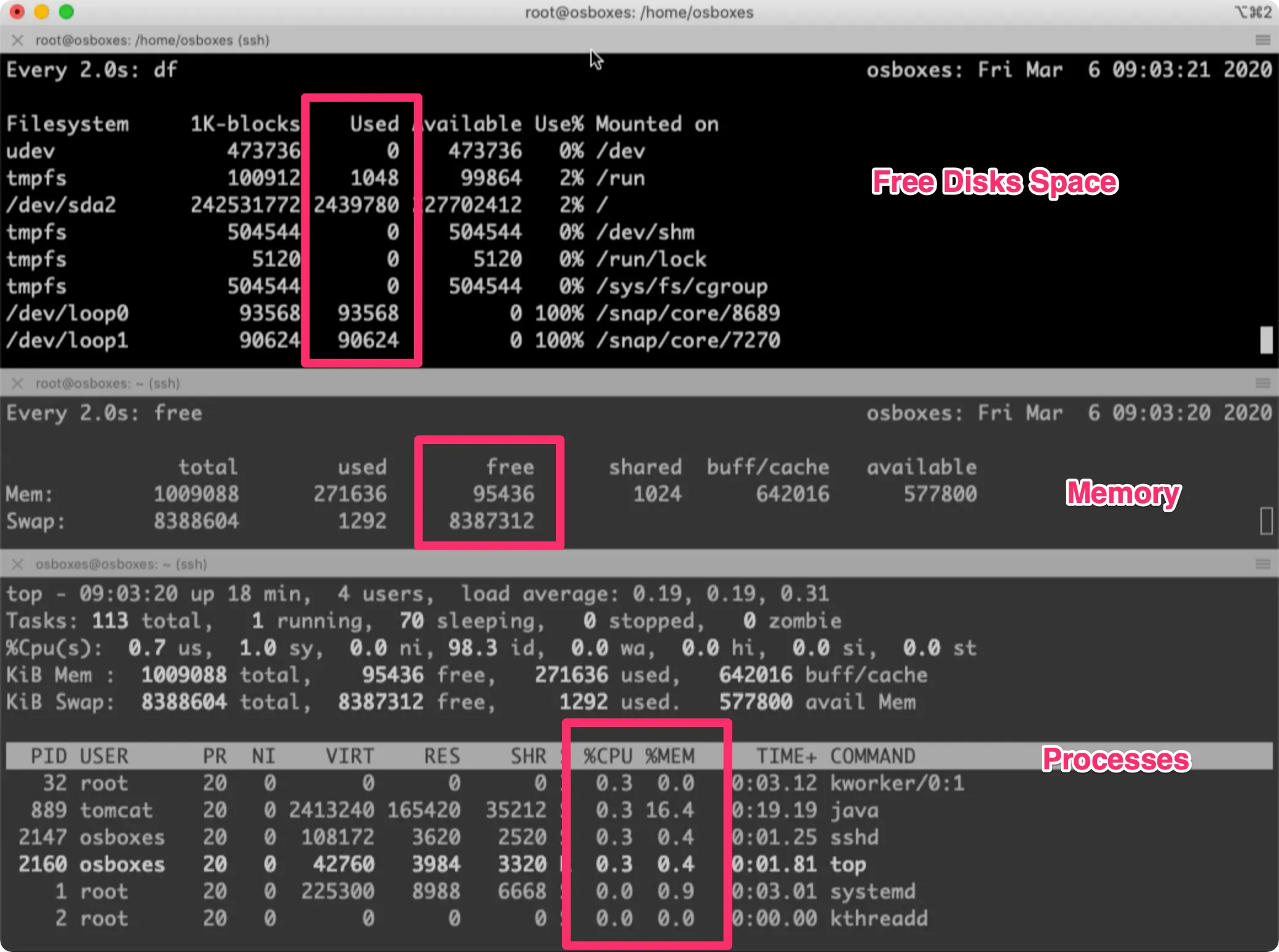
We built a VirtualBox virtual machine with Tomcat and opened a console with three monitoring views:
- Disk space.
- Memory.
- CPU usage per process.
You can see it in the picture:
Deploying the zip bomb
With the monitors ready, we copy the zip bomb into the Tomcat directory:
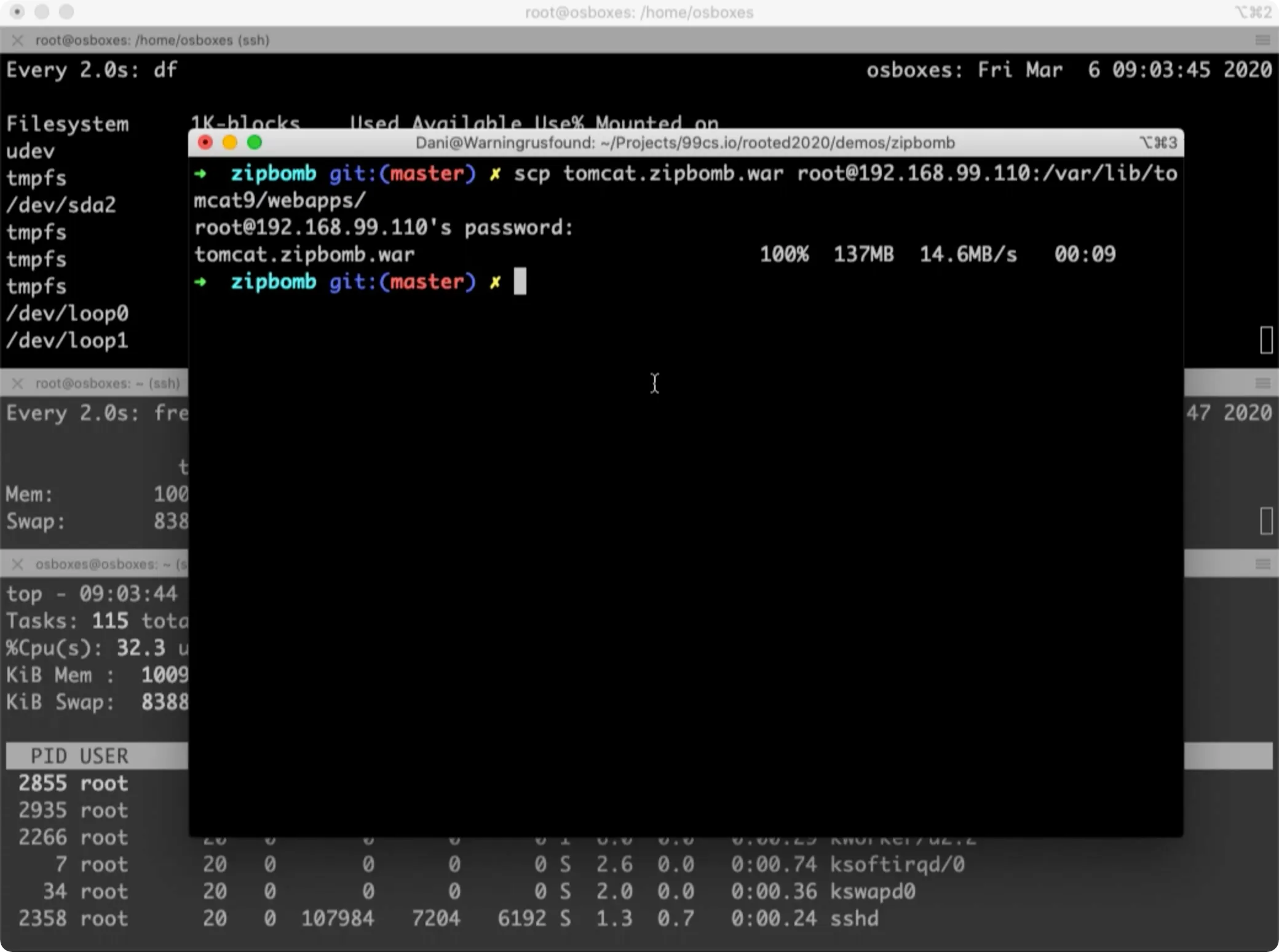
Watching what happens
The video is sped up. The actual elapsed time is in the top right corner.
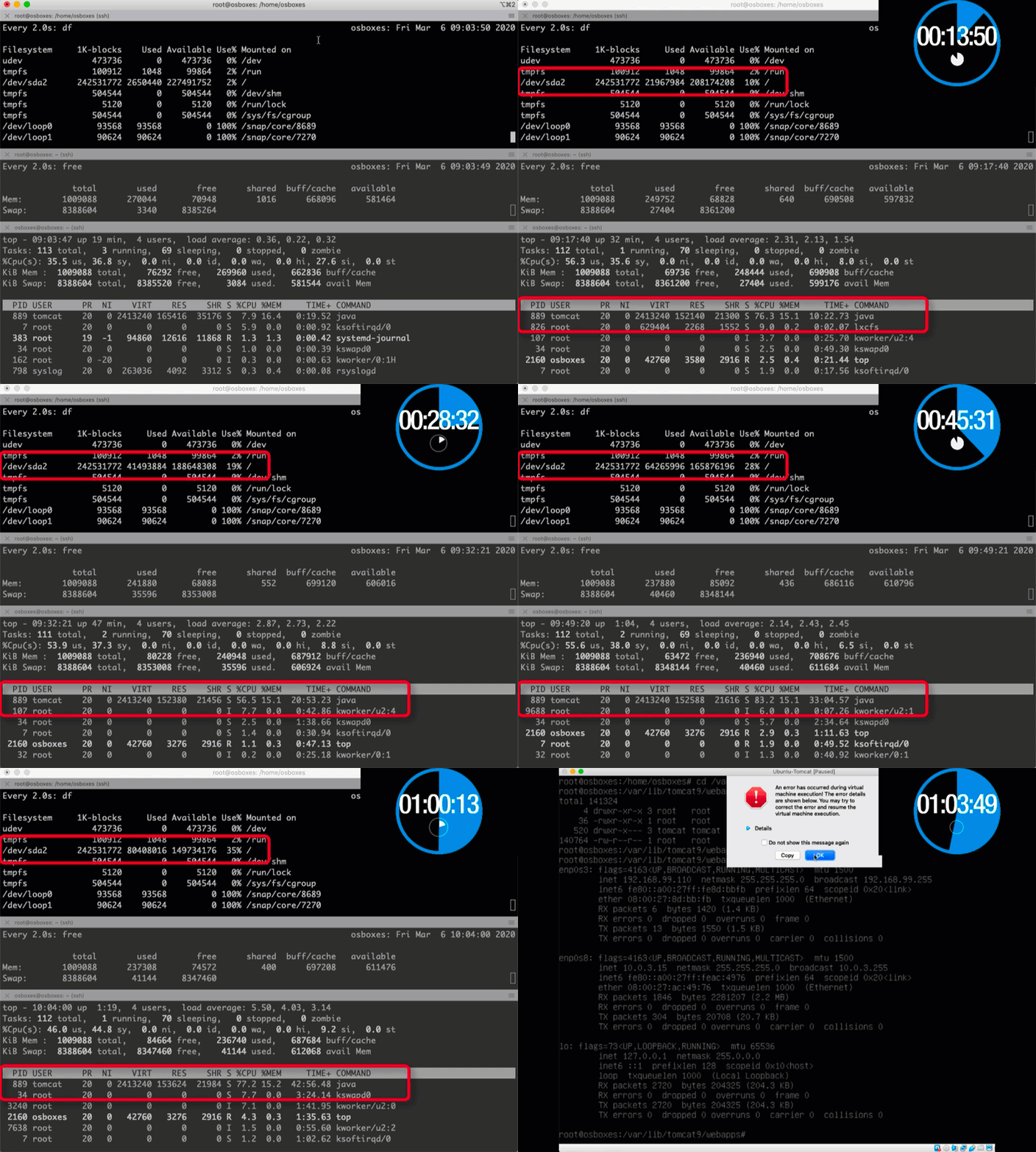
In the end, the virtual machine goes down.
Conclusions
A few things we can take from this:
-
Old attacks come back in when you automate a process and remove the manual checks along the way.
-
Fail fast is the goal in DevOps, and DevSecOps should play by the same rules. Some attacks that we traditionally left for hardening time can also be covered by a good security pipeline.
-
We have to check the build files and the commands that produce the final artifacts, not only the application source code.
More posts in the DevSecOps series
DevSecOps series No. 1 — Breaking the CI/CD by using evil Git repositories
DevSecOps series No. 2: Automatic security checks for Dockerfiles
DevSecOps series No. 4: Protecting environment variables in the most well-known CI systems