DevSecOps series No. 4: Protecting environment variables in the most well-known CI systems

In a CI/CD pipeline it is perfectly normal to keep service credentials in environment variables: AWS keys, the database user and password, that kind of thing.
The most widely used automation systems each have their own way of handling that sensitive data. You do not need to invent anything.
In this post I go through how the four most common ones do it.
Jenkins
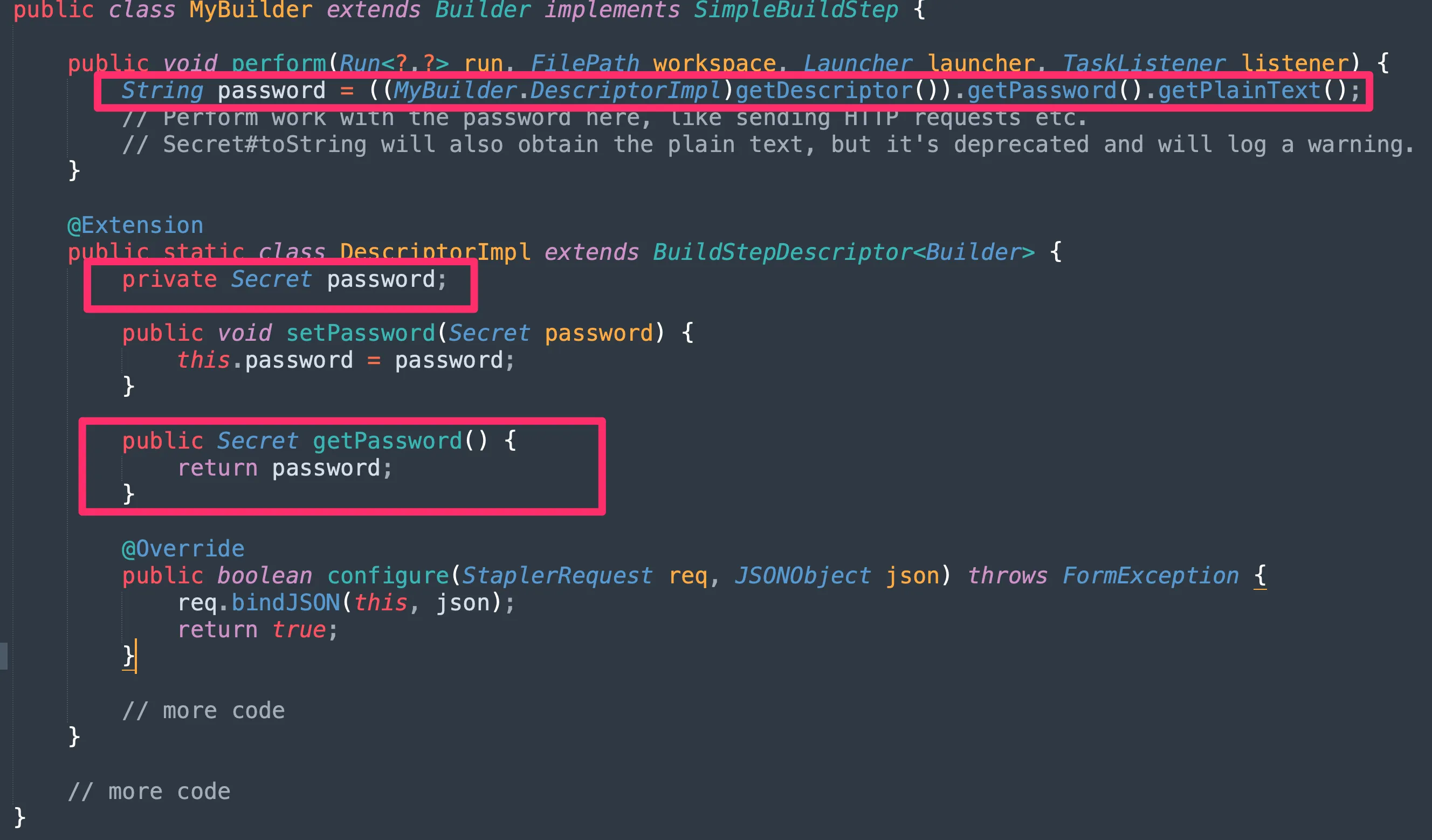
Jenkins calls this data secrets and stores it in a specific path, $JENKINS_HOME/secrets/, encrypted with AES.
To get the plain version of an encrypted password back, Jenkins needs a specific integration with whatever programming language you are using.
There is more in the Jenkins documentation.
GitHub Actions
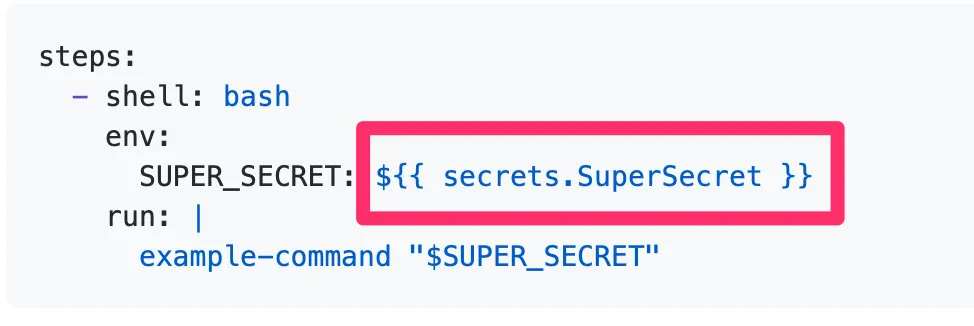
GitHub Actions uses a special environment variable called secrets. Anything you mark as a secret is kept out of the logs and stored encrypted.
To set one up you have to add each variable, one by one, on the project settings page.
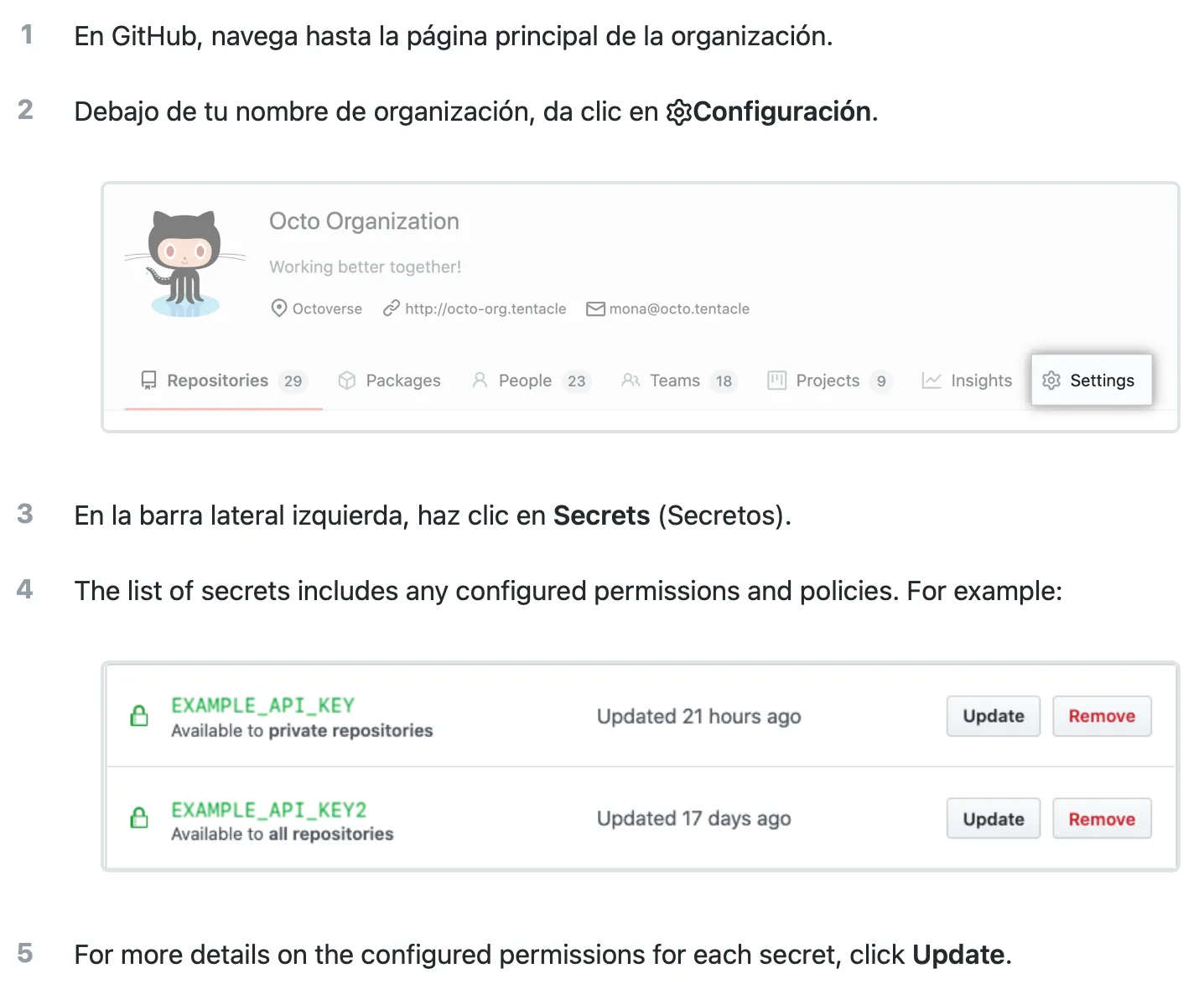
After that you use it with GitHub’s syntax:
There is more in the GitHub documentation.
GitLab CI/CD
GitLab uses a special environment variable it calls a protected variable. Anything you mark as protected is kept out of the logs.
The value of a protected variable is encrypted with aes-256-cbc and stored in the database. It can only be read and decrypted with a valid secrets file.
To set one up, same as GitHub: each variable goes on the project settings page.
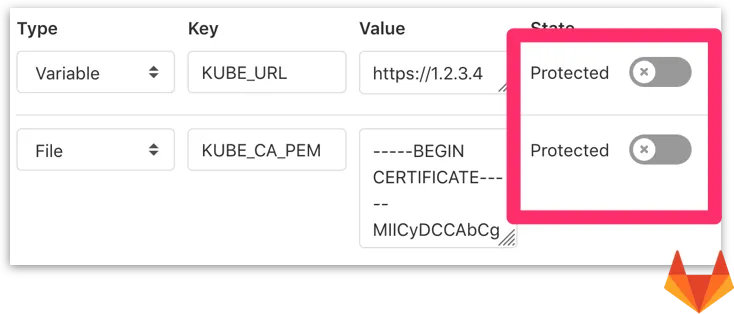
After that you use it like any other variable:

There is more in the GitLab documentation.
Bitbucket Pipelines
Like GitLab, Bitbucket uses a special environment variable it calls a secured variable. Anything you mark as secured is kept out of the logs and stored encrypted.
To set one up you have to add each variable on the project settings page:


After that you use it like any other variable:

There is more in the Bitbucket documentation.
Conclusions
Handling sensitive data from critical systems is everyday work in CI/CD.
What we tend to forget is that this data comes from production. And that it has to be treated as such.
Every automation system has its own way of managing sensitive information, and none of them is hard to use. All it takes is a bit of care, and teaching it to the developers who are still not using it.
More posts in the DevSecOps series
Previous post: DevSecOps series No. 3: Old-fashioned issues in DevOps, zip bombs
DevSecOps series No. 2: Automatic security checks for Dockerfiles
DevSecOps series No. 1 — Breaking the CI/CD by using evil Git repositories